SUPPORT · FILM CAMERA · iOS 고객지원 · 필름 카메라 · iOS
A film camera and editor,
entirely on your phone.
필름 카메라와 편집실을
휴대폰 안에 통째로.
Shoot, finish, and share. No account, no sign-up, and every photo stays on your device. 촬영부터 마감, 공유까지. 회원가입도 로그인도 없고, 사진은 모두 기기 안에서만 처리돼요.
Questions, bugs, or feedback are all welcome. We usually reply within a few days. 문의·버그·피드백 모두 환영해요. 보통 며칠 안에 답장드립니다.
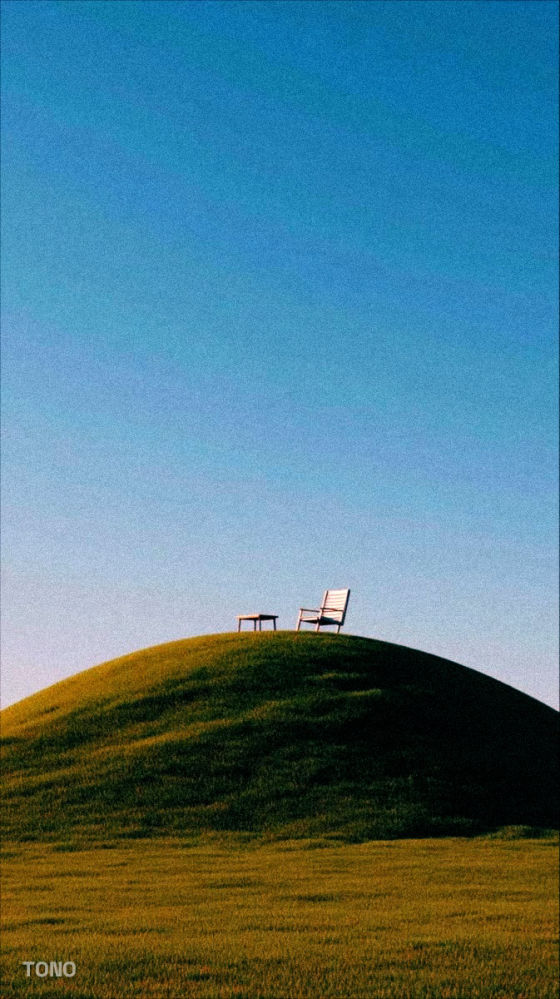
How it works사용법 5단계
Five steps from shutter to saved.셔터부터 저장까지, 다섯 단계면 끝.
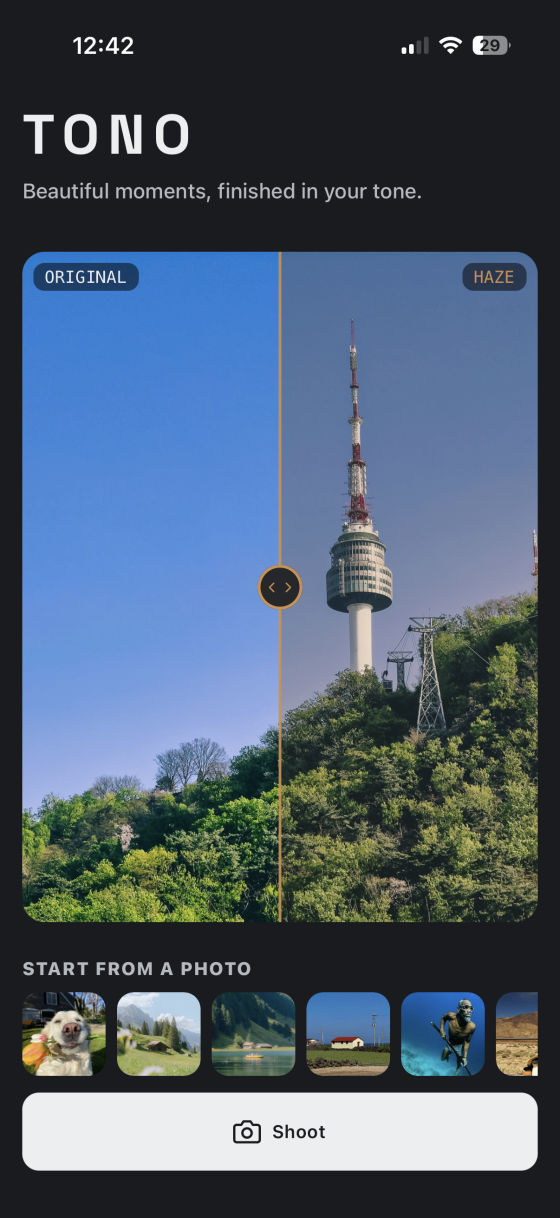
01
Shoot or import촬영 또는 불러오기
Take a photo in the app, or pick one from your gallery.앱에서 바로 찍거나, 갤러리에서 사진을 고르세요.
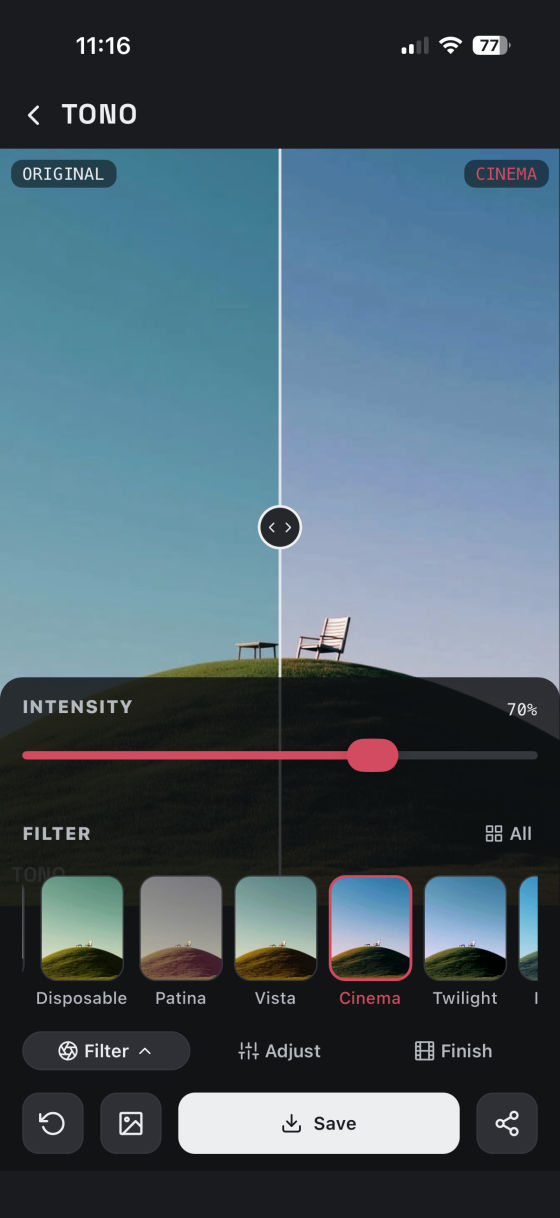
02
Pick a look필터 고르기
Choose a filter and adjust its strength to taste.필터를 고르고 강도를 취향대로 조절하세요.
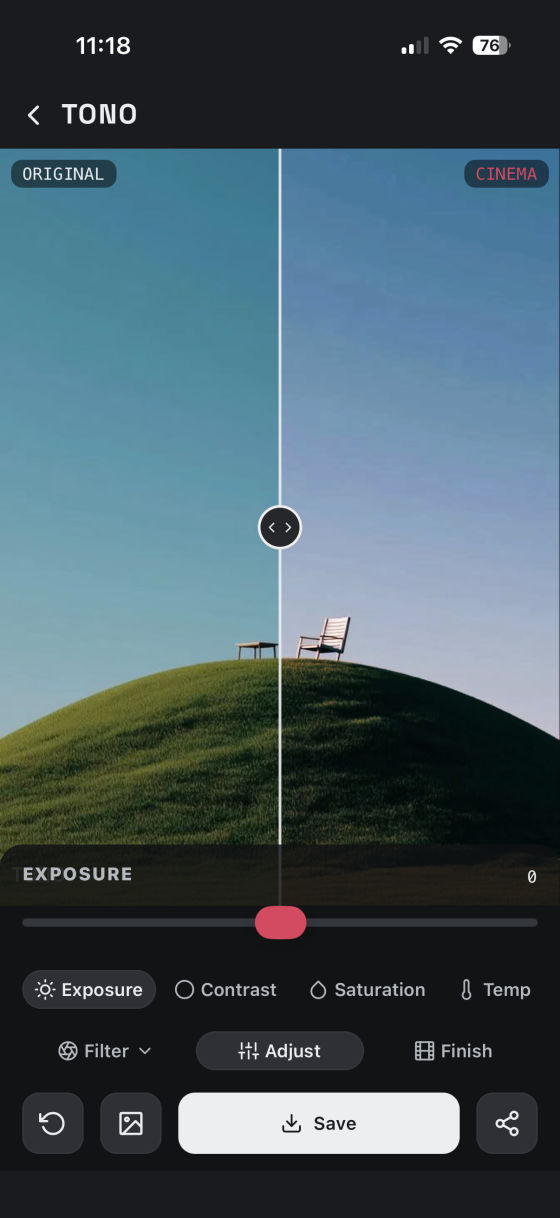
03
Adjust보정
If the light or color needs a nudge, fine-tune it with the sliders.밝기·색감이 아쉬우면 슬라이더로 다듬으세요.
04
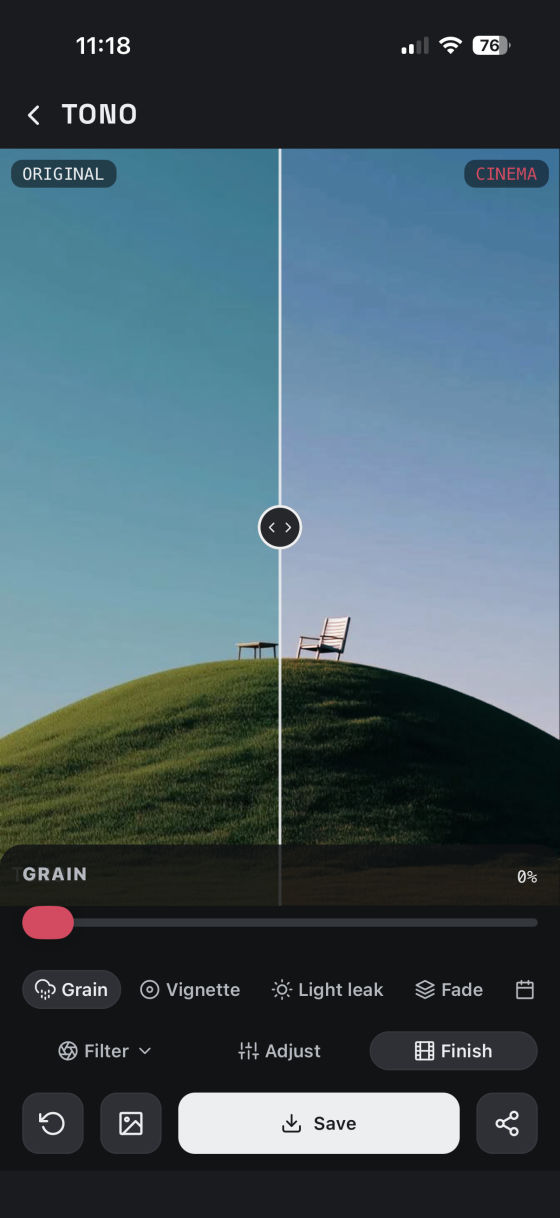
Add analog finish아날로그 마감
Add grain, vignette, light leak, and a film date stamp.그레인·비네팅·라이트릭, 필름 날짜 각인까지.
05
Save or share저장 또는 공유
Save it to your gallery, or share it anywhere.갤러리에 저장하거나 어디든 공유하세요.
Explore the features기능 살펴보기
Three tabs, one editor.탭 3개로 끝나는 편집기.
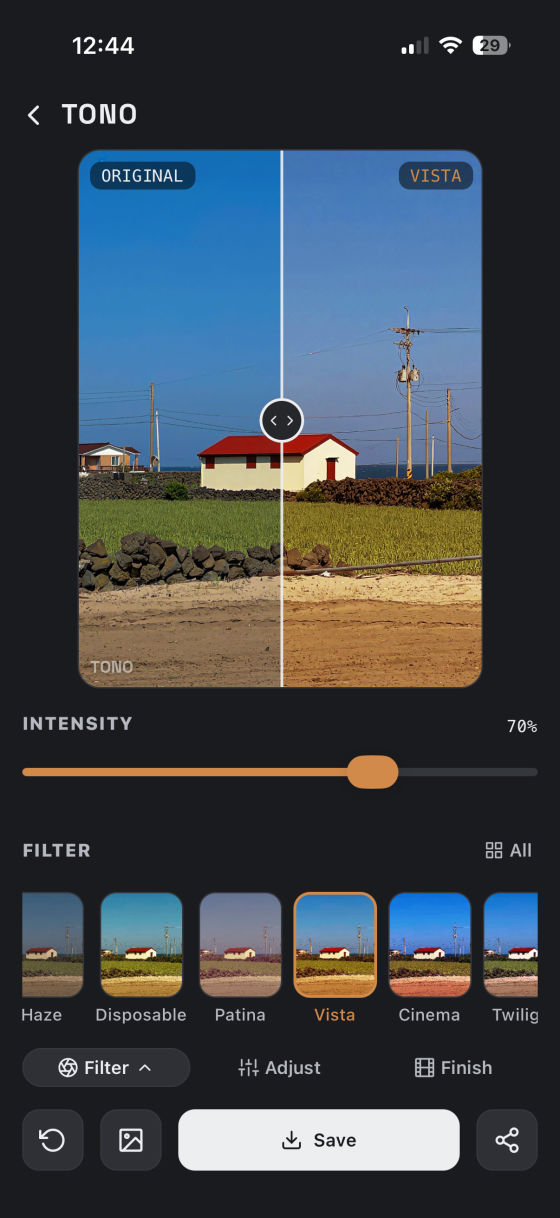
Filters필터
Pick a film-inspired filter, then dial in the strength.필름 느낌의 필터를 고르고, 강도를 취향껏 조절.
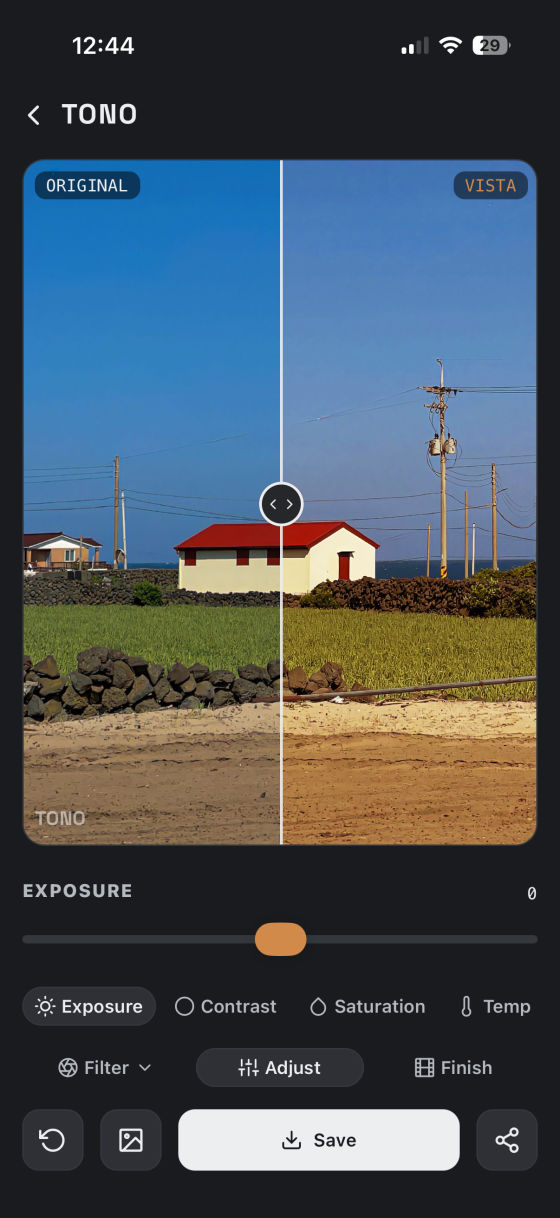
Adjust보정
Six sliders to fine-tune the tone over any filter.필터 위에 톤을 다듬는 6가지 슬라이더.
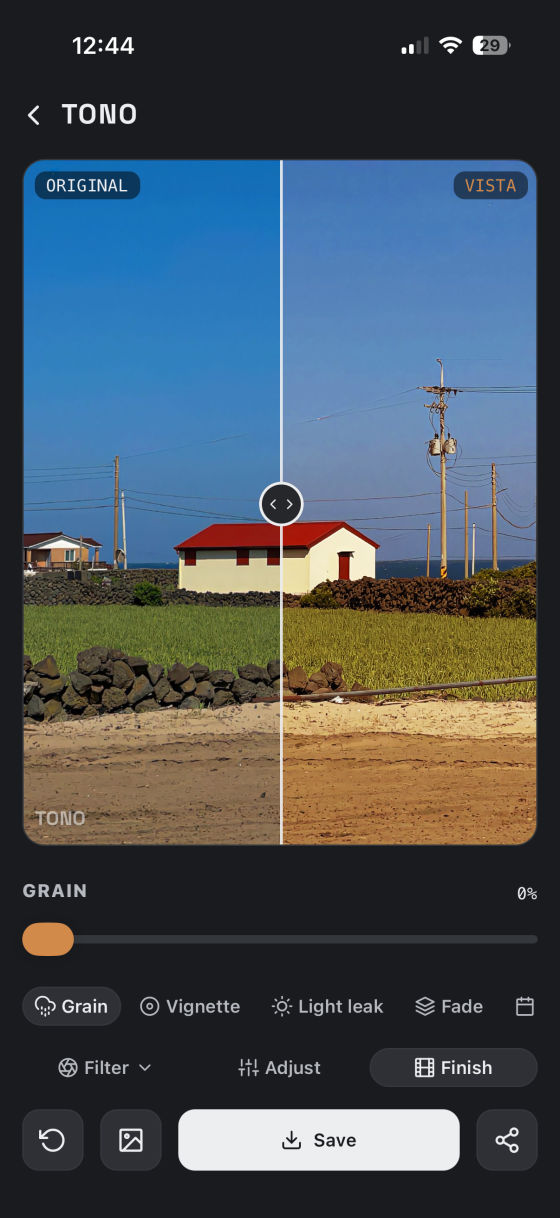
Finish마감
Five analog finishes to make it feel even more like film.다섯 가지 아날로그 마감으로 더욱 필름처럼.
Filters, in detail필터, 자세히 보기
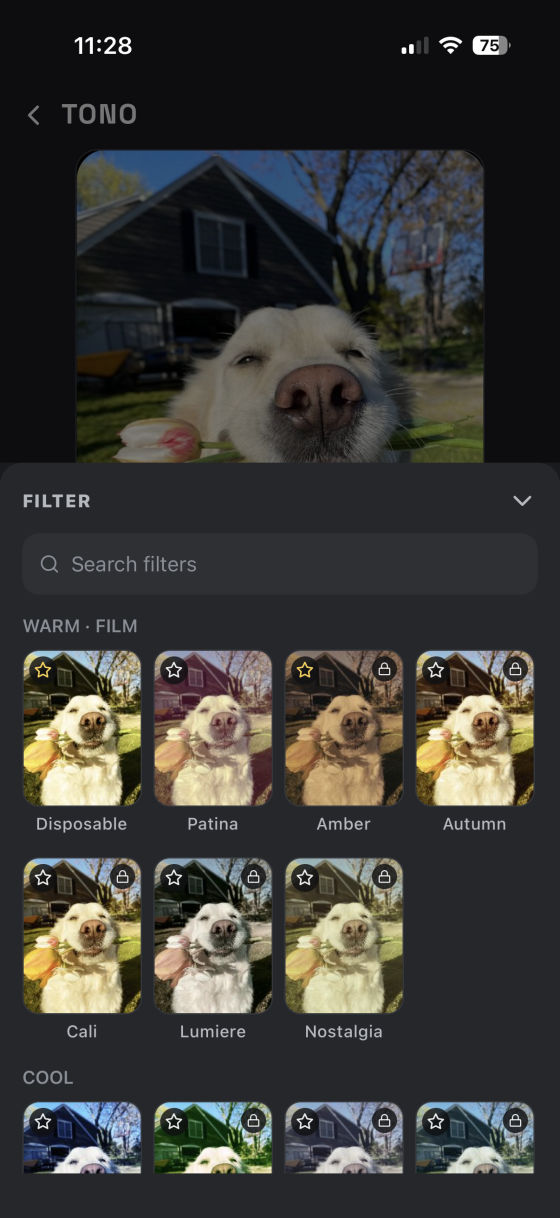
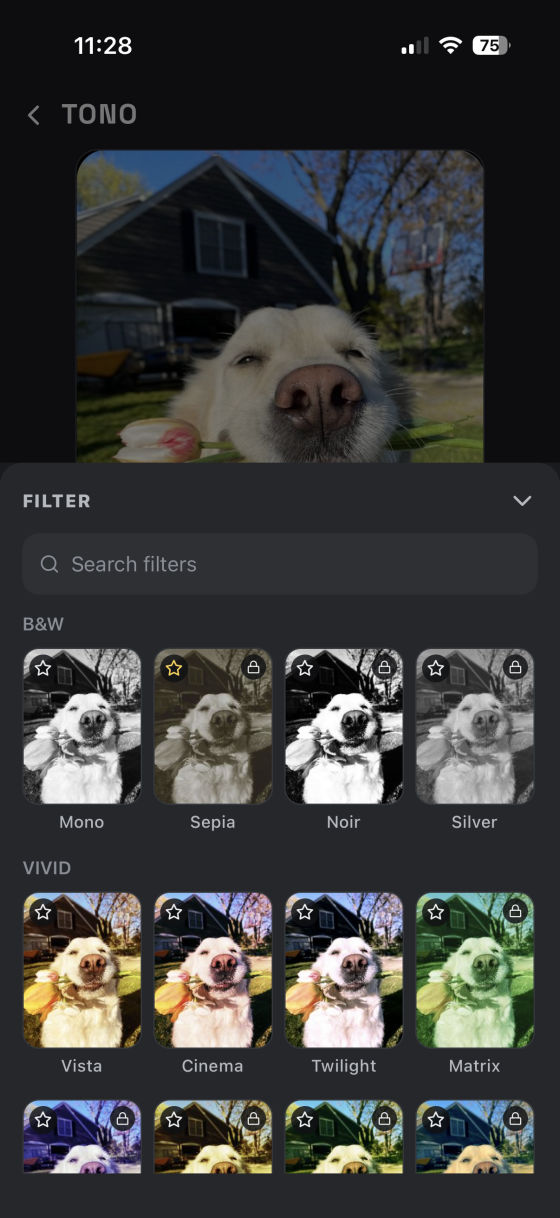
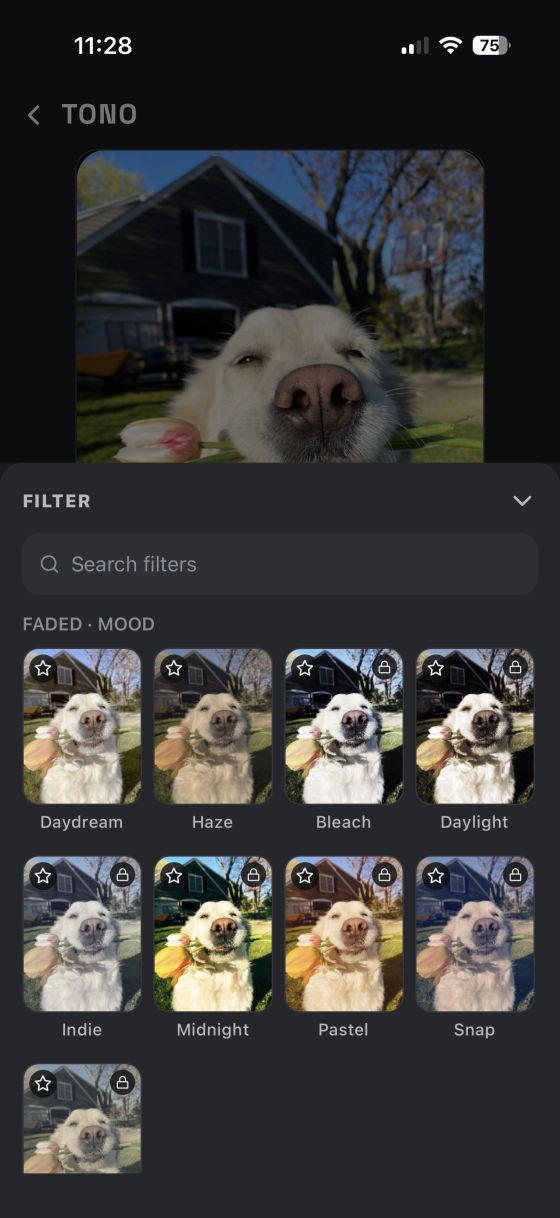
Browse filters grouped by mood: warm, cool, black and white, vivid. Search by name, and star the ones you use most.웜·쿨·흑백·비비드 같은 무드로 모아 보고, 이름으로 검색하고, 자주 쓰는 필터는 별표로 즐겨찾기.
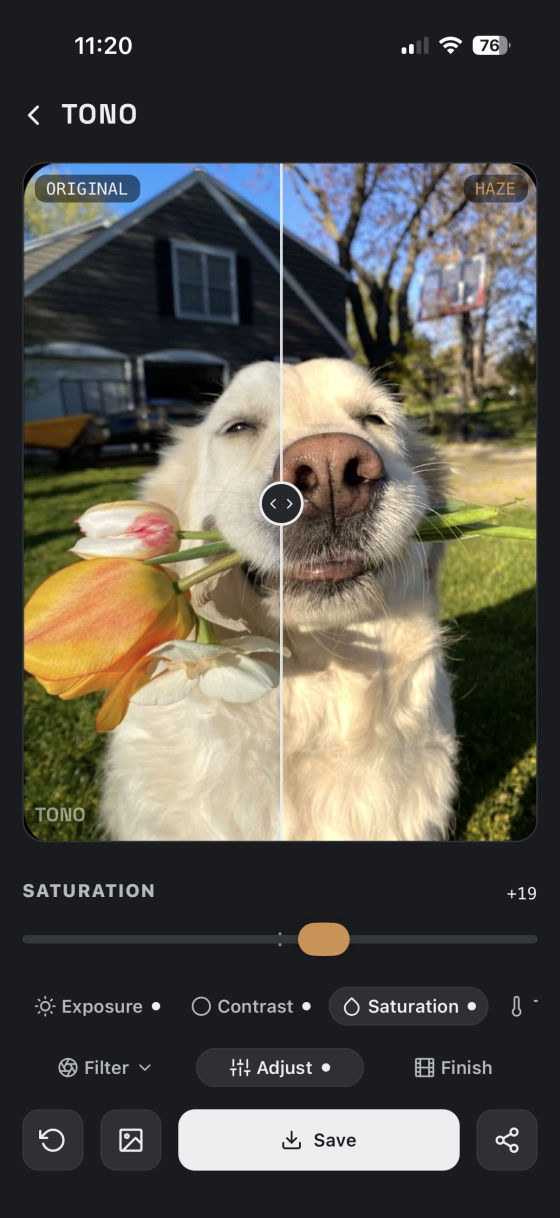
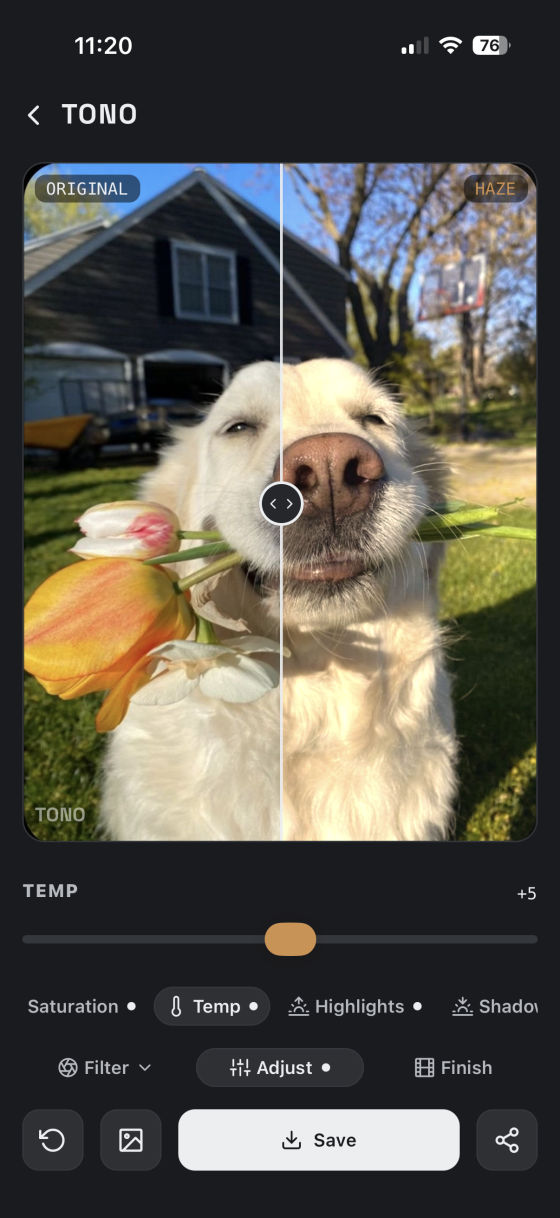
Adjust, in detail보정, 자세히 보기
Six sliders to fine-tune the tone over any filter.필터 위의 톤을 세밀하게 다듬는 6가지 슬라이더.
Finish, in detail마감, 자세히 보기
Grain, vignette, light leak, fade, and a film date stamp: mix and match freely.그레인·비네팅·라이트릭·페이드·날짜각인, 자유롭게 골라 더하세요.
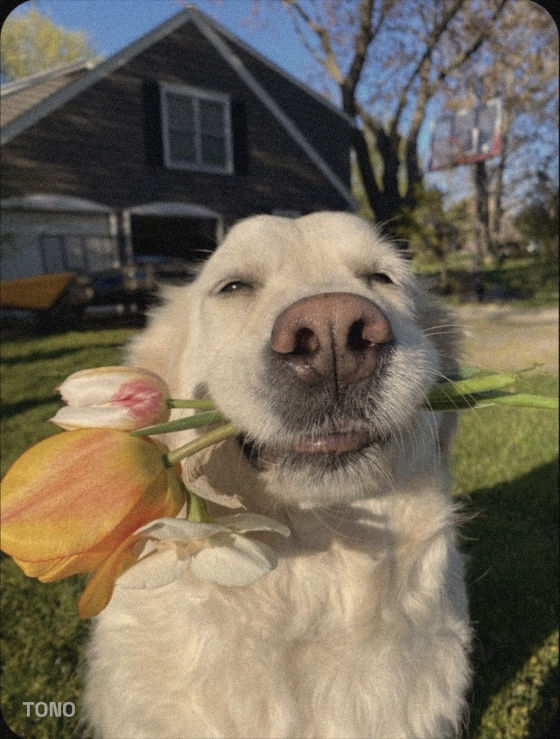
Grain그레인
Authentic film grain for a more analog feel.필름 특유의 입자감, 조금 더 필름스럽게.
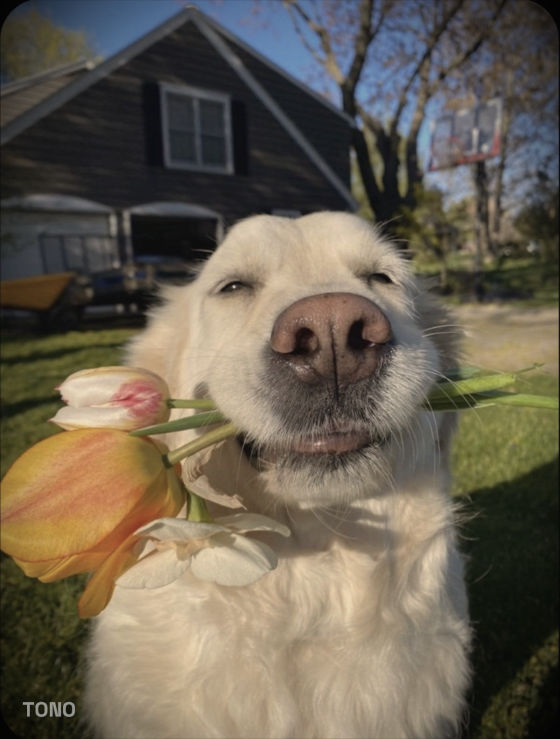
Vignette비네팅
Darkened edges draw the eye in.어두워진 가장자리로 시선을 중앙으로.
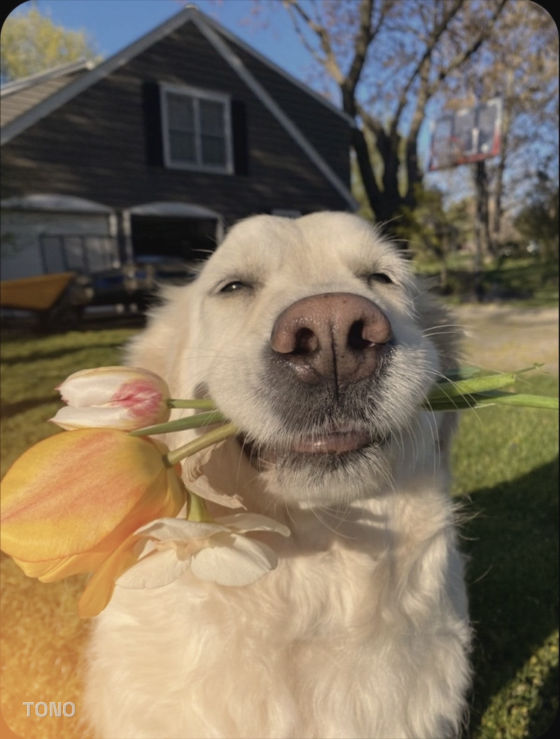
Light leak라이트릭
A warm glow, like light hitting film.필름에 빛이 새어든 듯한 따뜻한 빛.
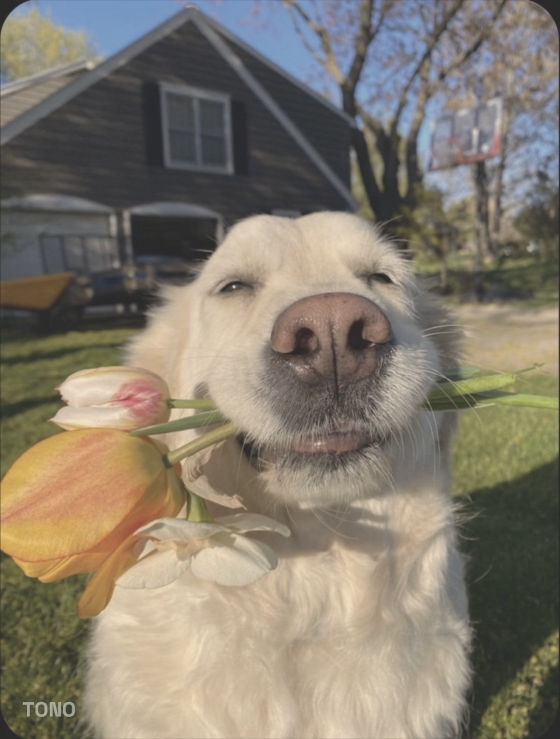
Fade페이드
Lifted blacks for a soft matte look.블랙을 들어올린 빛바랜 매트한 톤.
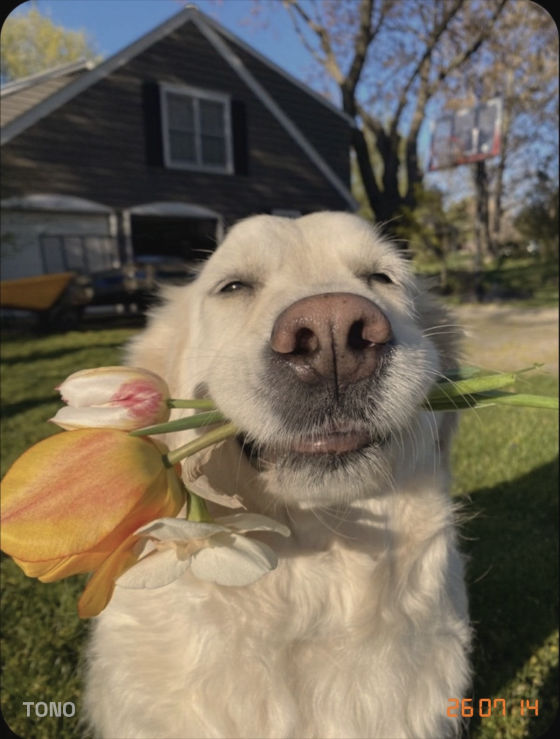
Date stamp날짜각인
A retro LED date, just like old film cameras.옛날 필름 카메라 같은 LED 날짜.
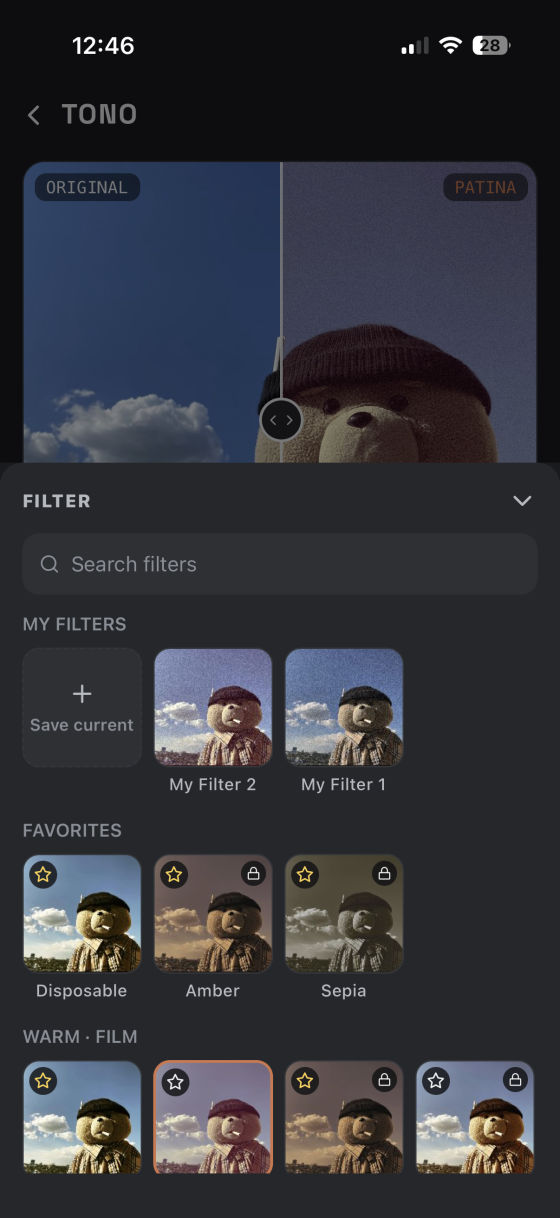
My Filters & favorites내 필터 · 즐겨찾기
Save your current filter, adjust, and finish settings as a "My Filter" to reuse anytime. Starred favorites sit right at the top of the sheet.지금 설정한 필터·보정·마감 값을 통째로 "내 필터"로 저장해 두고 언제든 다시 불러오세요. 즐겨찾기한 필터는 시트 맨 위에 모여요.
Common questions자주 묻는 질문
Still stuck? Email us and we'll help.해결되지 않으면 이메일로 알려주세요.
nuruk.studio@gmail.com